18 July 2026 · 11 min read · Updated 5 September 2026
Is It Safe to Link Your Bank Account to a Budgeting App?
Many budgeting apps ask you to connect your bank account during setup. The convenience is real — but so is the question behind it: is it safe to link your bank account to a budgeting app?
The short version
- It can be safe: reputable apps connect through providers such as Plaid, never receive your bank password, and encrypt the connection.
- Security and privacy are different questions. An app can be perfectly secure and still collect far more financial detail than you meant to share.
- After linking, an app may see account names, balances, transaction history, merchant names and amounts — sometimes pending transactions, routing numbers or identity details, depending on the permission scope.
- If all you want is spending tracked against a budget, a no-bank-link app avoids the question entirely.
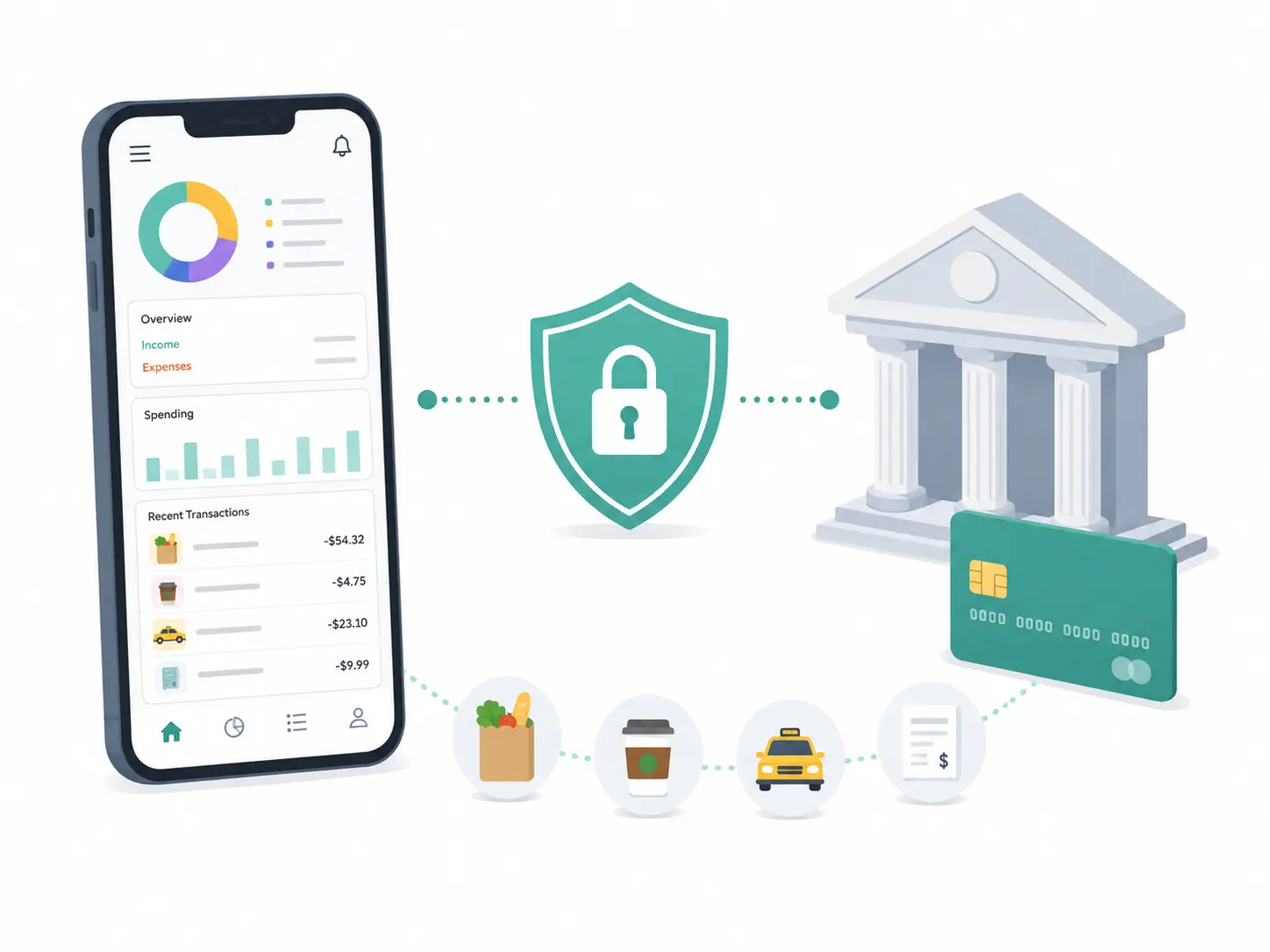
The reason apps ask is simple: if the app can import your transactions automatically, you do not have to enter every purchase yourself. Your grocery shop, rent payment, subscription, coffee, taxi ride, and card purchases can appear inside the app without manual work.
That convenience is real. But so is the question behind it: Is it safe to link your bank account to a budgeting app?
The honest answer is: it depends on the app, the connection provider, the data requested, and your own comfort with sharing financial information. Bank linking can be secure and useful when handled properly. However, it also grants more access than some households need if their main goal is simply to track shared spending against a monthly budget.
This guide explains how bank-linked budgeting works, what information may be shared, what to check before connecting an account, and when a no-bank-link expense tracker may be a better choice.
How bank linking works in budgeting apps
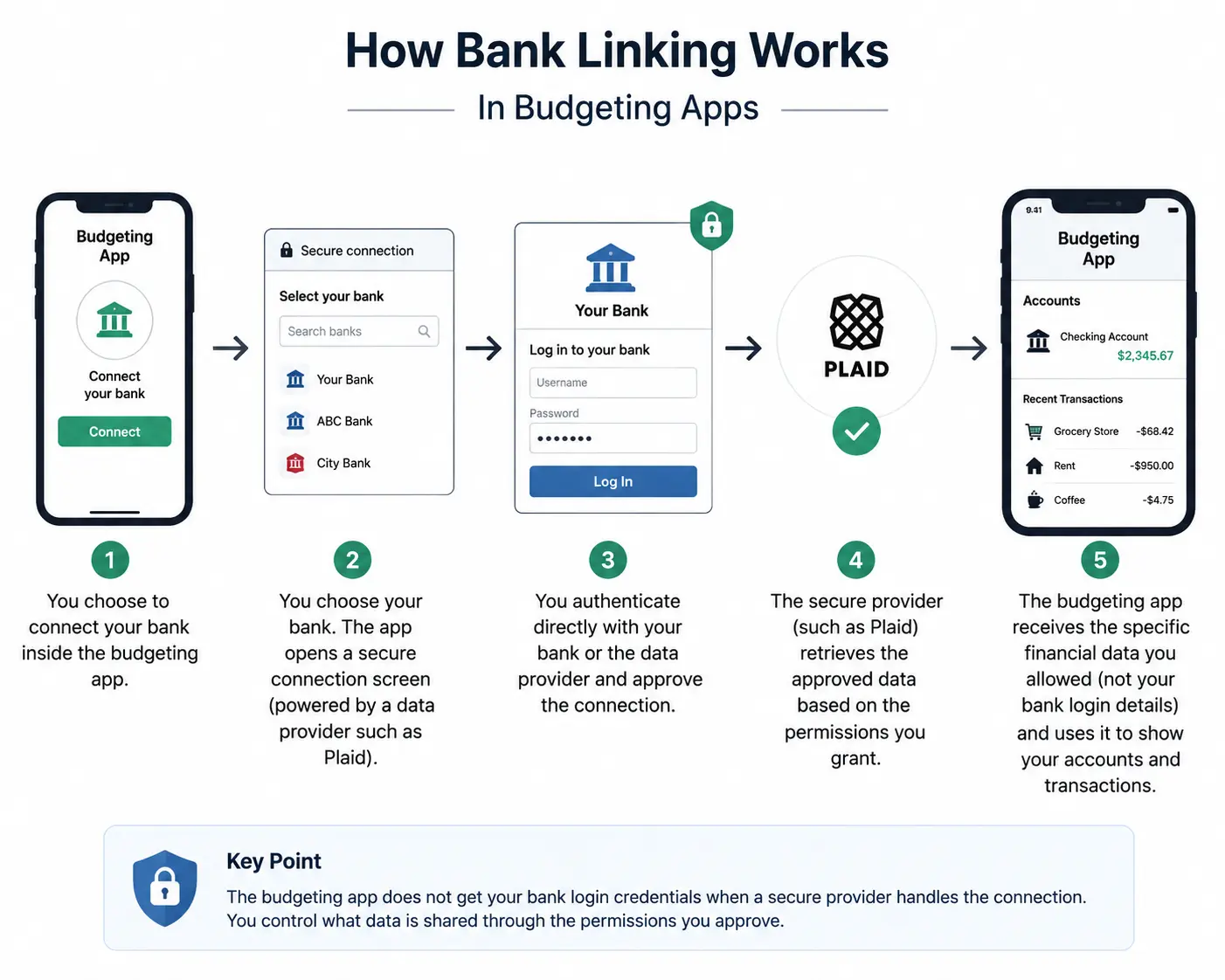
When a budgeting app asks you to connect your bank, the connection is often handled by a financial data network, such as Plaid, rather than by the budgeting app directly.
As Plaid explains on their consumer portal, they help connect financial accounts to apps and allow users to share financial information with the apps they choose. Importantly, the budgeting app does not receive your bank login credentials directly when a secure provider handles the connection.
Typically, you choose your bank inside the budgeting app, which opens a secure connection screen. You then authenticate directly with your bank or the data provider, approve the connection, and the budgeting app receives access to the specific types of financial data needed for its service.
The exact data shared depends on the app, the connection provider, your bank, and the permission scope. That is why the important question is not only “Is bank linking safe?” but also: What exactly am I allowing this app to access?
What data can a budgeting app see after bank linking?
A budgeting app may request different types of financial data depending on its features. Common examples include your account names, balances, transaction history, merchant names, and transaction amounts. Depending on the service, they might also request pending transactions, account routing numbers for payment services, or identity and contact information.
Not every budgeting app receives all of this. A simple spending tracker may need only transactions and balances, while a payment app or full financial platform requires a much broader data set. Before connecting, read the permission screen carefully. Do not treat “connect your bank” as one universal action.
Is bank linking secure?
Bank linking can be implemented with strong security protections. For example, major providers like Plaid use encryption protocols such as AES-256 and TLS, alongside security controls and consumer consent, to help protect financial information.
In the United States, the Consumer Financial Protection Bureau (CFPB) has also worked on personal financial data rights rules intended to support secure consumer-authorized data sharing. They have specifically noted that modern, authorized connections are much safer than older “screen scraping” methods, where consumers had to provide their actual bank passwords to third parties.
So, bank linking is not automatically unsafe. However, technical security is only one part of the decision.
Security and privacy are not the same thing
A bank-linked budgeting app can be technically secure and still require more personal financial data than you actually want to share.
Security asks whether the connection is protected, if the data is encrypted, and whether unauthorized people are kept out. It ensures that bad actors cannot steal your information.
Privacy, on the other hand, asks what data is collected, why it is collected, who receives it, and how long it is stored. It asks whether your data is used for analytics, advertising, or AI product training, and whether you can delete it later.
A secure system can still collect an immense amount of data. That distinction matters because bank transaction history reveals detailed patterns about a household’s life: where you shop, when you travel, which doctors or pharmacies you visit, and how your daily routine works. Before linking an account, always check both the security claims and the privacy policy.
The benefits of linking your bank account to a budgeting app
Bank linking exists because it solves real, everyday problems for many users.
1. Less manual entry
The biggest advantage is convenience. Because transactions appear automatically, users do not need to type every purchase. This is perfect for people who make numerous card payments and prefer automation over building a daily manual-logging habit.
2. Complete transaction coverage
If most of your spending happens through connected accounts, bank sync captures expenses that might otherwise be forgotten, ensuring nothing slips through the cracks.
3. Faster historical setup
Some apps can import past transactions, making it easier to immediately see your previous spending patterns, such as average grocery costs or recurring utility bills.
4. Balance visibility
Apps that connect to banks often show real-time account balances alongside transactions. This is incredibly useful for people who want one central dashboard for cash flow, credit cards, and broader financial planning.
The risks and trade-offs of bank linking
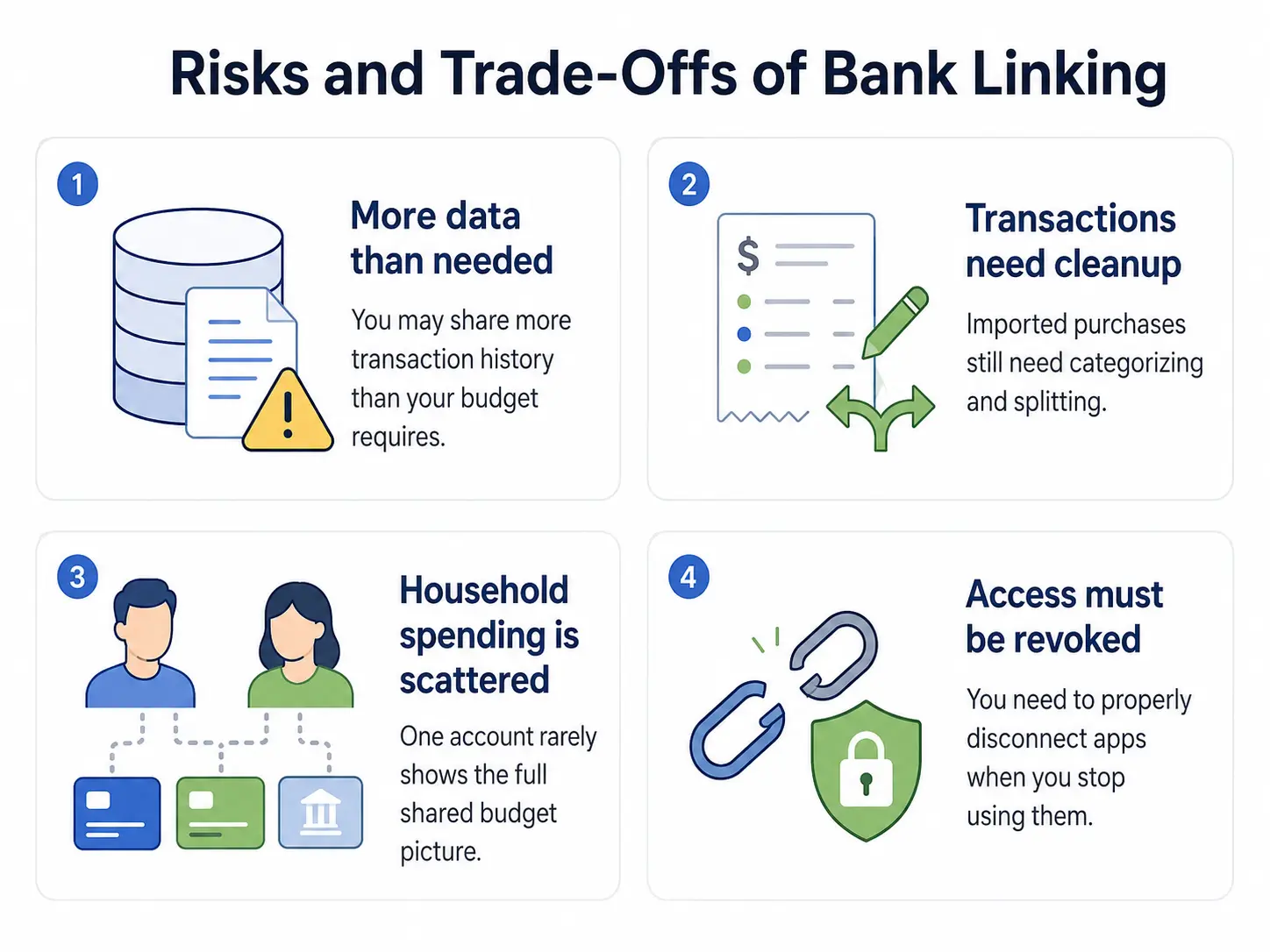
While convenient, bank linking comes with trade-offs that don’t fit every household’s needs.
1. You may share more data than you need to
A household may only want to know how much they spent on groceries or if they are close to their dining cap. For that specific purpose, granting full access to your bank transaction history is often unnecessary.
2. Imported transactions still need cleanup
Bank sync does not magically create a perfect budget. You will often still need to correct miscategorized items, separate personal from shared expenses, and split mixed purchases. For example, a single $100 supermarket transaction might include groceries, school supplies, and a gift. Bank sync just sees one merchant; you still have to do the math to split it.
3. Shared household spending rarely matches bank-account ownership
Many households use several payment sources: one partner’s card, another’s checking account, shared credit cards, and cash. Connecting one account won’t show the full picture, but connecting every account can feel invasive. A genuinely shared expense tracker solves this by letting each person log the purchases that belong to the household budget, regardless of how they paid.
4. Revoking access requires attention
Connections can occasionally break or require re-authentication. More importantly, you must know how to properly disconnect an app from your financial accounts when you are done using it — whether through the budgeting app, the data provider’s portal, or your bank’s own settings.
Questions to ask before linking your bank account
Before connecting your accounts to any budgeting tool, run through these quick checks:
- Is it optional? If you are unsure about sharing data, choose an app that lets you track expenses manually without forcing a connection.
- What data is accessed? Review the permission screen. If a simple tracker asks for your account routing numbers, pause and ask why.
- How far back do they look? Check whether the app will import months of historical data or just future, ongoing transactions.
- Who processes the connection? If they use a third-party aggregator like Plaid, review that provider’s security practices, not just the budgeting app’s marketing page.
- Does the app sell data? Read the privacy policy specifically looking for data selling, targeted advertising, or sharing with affiliates.
- Can you easily disconnect? Ensure there is a clear, documented process for revoking access and deleting your data.
When a no-bank-link budgeting app may be better
A no-bank-link budgeting app may be a better fit when you only need to track household spending, rather than mapping out your entire financial life.
It is ideal if you want to decide exactly which purchases enter the shared budget, especially if household members use different cards or cash. For many families, the main problem isn’t a lack of automated data; it’s getting everyone to participate — which is what a budget two adults can both write to, and children can add to under approval, is for. If your goal is simply to answer, “How much have we spent this month, and are we close to our caps?” a fast manual capture process is often the safest, easiest solution.
Alternative ways to track expenses
If you choose not to link your bank, there are several effective manual methods:
Spreadsheets: A custom spreadsheet gives you total control over columns, formulas, and categories. While incredibly flexible, it can be cumbersome to update on a mobile phone while standing in a checkout line.
The Envelope Method: This classic method assigns a strict cap to each category. Every purchase reduces the remaining amount in that “envelope.” It is highly effective for visualising limits, though physical cash envelopes rarely suit modern digital spending.
Voice and Text Expense Tracking: This modern approach drastically reduces the friction of manual tracking. Instead of opening complex forms, a household member can simply say or type, “Groceries 64, parking 4, and school supplies 18.” A voice-first tracker separates the sentence, suggests categories, and asks you to confirm the details before updating your totals.
CapKin’s approach: shared spending without bank access
CapKin is designed exactly for households that want to track shared spending without connecting their bank accounts. It does not try to become a complete financial dashboard, move money, track net worth, or manage investments — how it handles the data it does hold is on the security page.
The product focuses on one specific job: helping a household understand what it has spent against the caps it set.
You set one monthly household spending cap and divide it into categories. Then, family members simply say or type what they bought. CapKin splits the entry into separate purchases, suggests the right categories, and asks for your confirmation before saving anything. This provides the household with a real-time spending picture without ever requiring bank sync.
| Feature | Bank-linked budgeting app | CapKin no-bank-link tracking |
|---|---|---|
| How are purchases captured? | Imported from connected accounts | Spoken or typed by household members |
| Requires bank access? | Usually yes, or heavily prompted | No |
| Shows account balances? | Often yes | No |
| Tracks every bank transaction? | Yes, based on the account | Only what the household chooses to record |
| Tracks cash purchases? | Only if entered manually | Yes, entered like any other purchase |
| Splits real-life mixed purchases? | Often requires manual cleanup | User can speak separate items directly |
| Best for: | Full financial visibility and automation | Shared household spending against caps |
The real question: how much access does your budget need?
Linking a bank account to a budgeting app can be useful, secure, and convenient when you want automatic transaction imports and total financial visibility. But it is not the only way to budget.
For many households, the struggle isn’t a lack of bank data — it’s that one person ends up doing all the tracking. A no-bank-link system works beautifully when it gives every household member a fast, frictionless way to record purchases, keeps categories clear, and shows spending against realistic caps.
CapKin is built for that narrower, more collaborative job.
No bank connection. No money movement. Just household spending, spoken for.
Frequently asked questions
- Is it safe to link your bank account to a budgeting app?
- It can be. Reputable apps use secure providers like Plaid with strong encryption and never receive your bank password. But safety also depends on privacy: check what data is collected, why, and how you can delete it. If you only want to track spending against a budget, a no-bank-link app avoids the question entirely.
- What data can a budgeting app see after I connect my bank?
- Depending on the permission scope, it may access account names, balances, transaction history, merchant names, and amounts — sometimes pending transactions, routing numbers, or identity details. Always read the permission screen before approving.
- Is a security-certified app the same as a private one?
- No. Security keeps unauthorized people out; privacy governs what data is collected and how it is used. An app can be secure and still gather far more financial detail than you want to share.
- Do I need to link my bank to track a household budget?
- No. A no-bank-link tracker like CapKin lets each family member log purchases by voice or text against shared caps, so you get a real-time spending picture without connecting any account.