8 July 2026 · 9 min read · Updated 5 September 2026
Voice Expense Tracking: Can Speaking Your Purchases Make Budgeting Easier?
Most household budgets do not fail because the calculations are difficult. They fail because keeping the numbers current becomes a chore.
The short version
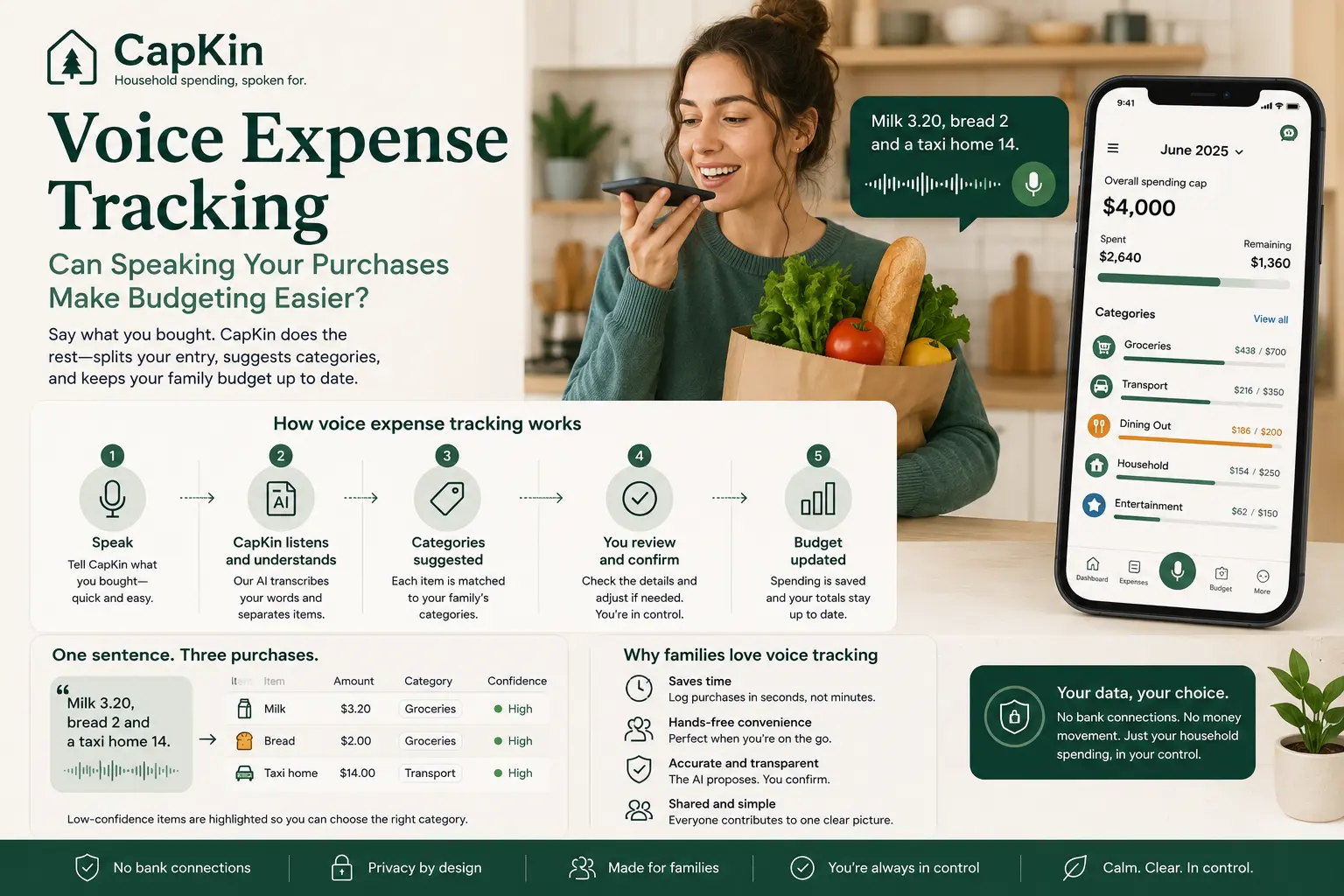
- Voice capture turns a spoken sentence into line items: speech becomes text, items and amounts are extracted, categories are proposed, and totals update only after you confirm.
- Several purchases fit in one sentence — “Groceries 45, fuel 38, and lunch 12” becomes three separate expense lines.
- It needs no bank connection, because an expense exists only because a member of the household spoke or typed it.
- It is not always the faster mode: in a quiet room, or with an awkward merchant name, typing wins — a good tracker keeps both.
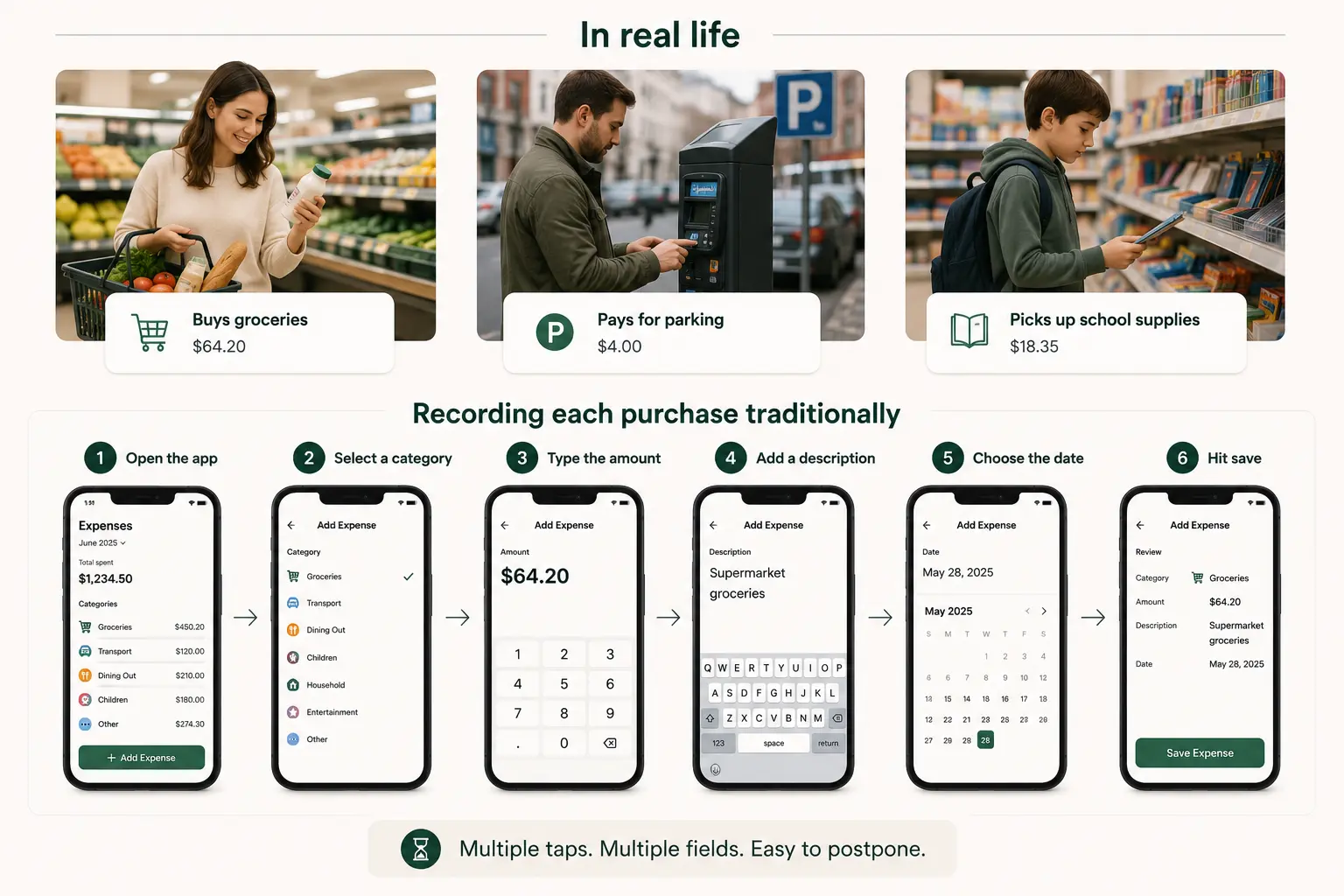
Someone buys groceries, pays for parking, and picks up school supplies. The purchases are easy to remember at that moment, but recording each one traditionally requires opening an app, selecting a category, typing an amount, adding a description, and hitting save.
While that process may take less than a minute, repeating it several times a day across an entire household quickly causes friction. Voice expense tracking offers a simpler alternative. Instead of completing a separate form for every purchase, you simply say what you bought:
“Groceries 42, school supplies 18, and coffee 5.”
An AI expense tracker transcribes the sentence, separates it into individual purchases, and suggests a category for each one. You review the result, correct anything necessary, and confirm it. Speaking does not remove the need for an accurate budget, but it drastically reduces the effort required to keep one updated.
What is voice expense tracking?
Voice expense tracking is a method of recording purchases by speaking rather than manually typing into transaction fields.
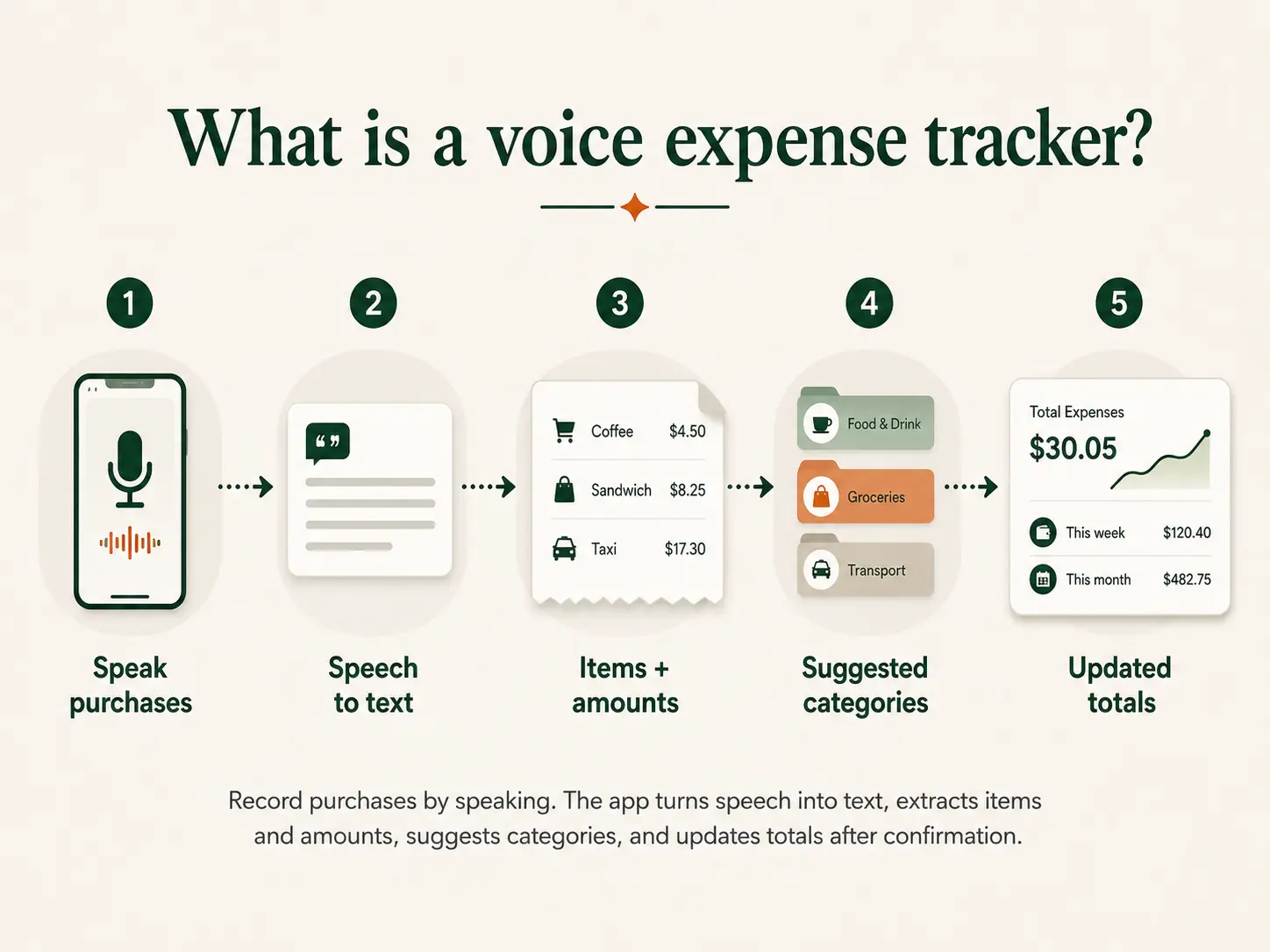
A voice expense tracker typically records your spoken entry, converts the audio into text, identifies individual purchases and amounts, and suggests an expense category for each. After presenting the structured result for your review, it saves the confirmed expenses and updates your budget totals.
For example, if you say, “Milk 3.20, bread 2, and a taxi home 14,” the tracker translates that single sentence into two separate “Groceries” entries and one “Transport” entry.
This is fundamentally different from leaving a basic voice note on your phone, and different again from asking a chatbot to keep the numbers — the reasons are in can ChatGPT run your family budget. A voice note just stores an audio file for later; a voice expense tracker actively turns spoken information into structured budget data. CapKin is designed exactly around this process. Family members can speak or type purchases, and the app instantly separates the entry into line items, proposing categories so you only have to tap to confirm.
Why manual expense tracking feels difficult
Manual expense tracking is not complicated, but it is highly repetitive.
A traditional entry requires you to navigate to the right screen, type the amount, add the merchant, hunt for the correct category, verify the date, and save. Each individual decision is small, but together, they create a wall of friction.
This friction becomes incredibly noticeable in everyday life — like when your hands are full of shopping bags, you’re cooking dinner, or you’re trying to log expenses for multiple family members based on a crumpled receipt from three days ago. Spoken expense tracking replaces this tedious form-filling with one natural sentence. The goal isn’t to make budgeting more sophisticated; it’s to make your most frequent action — logging a purchase — effortless.
How voice expense tracking works
The exact process depends on the app, but a reliable system should follow five distinct stages:
1. You speak naturally
You should not need to memorise a rigid command format. Short, direct entries like “Groceries 64, parking 12, and a birthday gift 28” work perfectly. The system should identify the purchases without requiring robotic phrases like “create expense” or “select category.”
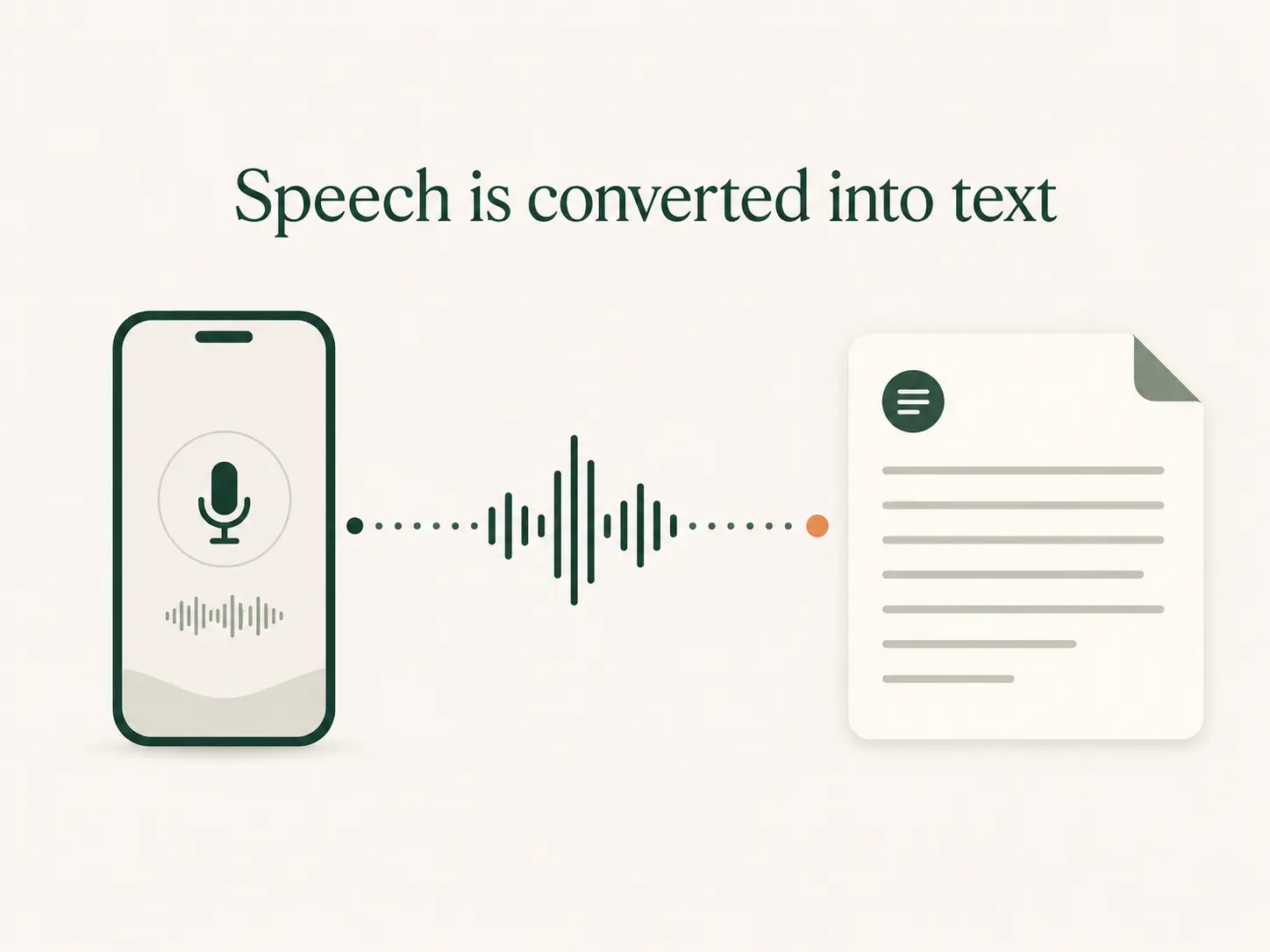
2. Speech is converted into text
The app transcribes your recording. Because speech recognition can sometimes misunderstand product names, accents, or similar-sounding numbers (like “fifteen” versus “fifty”), a visible transcript gives you a chance to spot errors before they ever reach your budget. CapKin treats transcripts as fully editable and provides a text-entry fallback for times when speaking isn’t convenient.
3. The entry is separated into purchases
An AI-powered tracker can identify several items inside one sentence. A single sentence about groceries, school supplies, and coffee becomes three proposed expenses rather than one lumped transaction. This eliminates the need to create multiple manual entries after speaking.
4. Categories are suggested
The tracker compares each purchase with your household’s available categories. However, categorisation is rarely absolute. A supermarket trip might include food, cleaning products, and clothing. Because the correct category depends entirely on your household’s specific setup, a good app will suggest a category rather than silently forcing a decision.
5. You review and confirm
Before anything is saved, you must be able to edit the item description, amount, date, and category. A well-designed tracker makes uncertain items highly visible. The core principle should always be: The AI proposes. You decide. CapKin separates parsing from saving entirely; your confirmation is the only action that writes data to the household budget.
Can speaking purchases make budgeting easier?
Yes, particularly when the alternative is filling in endless fields. If a household already knows what it wants to track but struggles to record purchases consistently, voice capture removes the biggest roadblock.
- It drastically reduces logging time: Speaking a sentence is inherently faster than tapping through forms. CapKin’s goal is to move you from opening the app to a confirmed entry in under 15 seconds.
- Multiple purchases in one breath: You can record fuel, groceries, and medicine all at once. This is perfect for catching up at the end of the day or after running a long list of errands.
- Hands-free convenience: Voice capture is incredibly useful when your hands are occupied with bags, children, or household chores. You can log the purchase while the context is still fresh in your mind.
- Lowers the barrier for the whole family: Often, one “budget organiser” ends up nagging the rest of the household for receipts. Asking a partner or teen to simply say one sentence into their phone is far more realistic than asking them to maintain a detailed spreadsheet.
- Works seamlessly for cash: Cash transactions don’t appear in bank-connected apps, which is one reason a household may prefer a budgeting app without a bank login altogether. Voice tracking provides the same lightning-fast process whether you paid with a credit card, a digital wallet, ora twenty-dollar bill.
When voice tracking shines (and when to type instead)
Voice tracking is highly effective for short, concrete purchases (e.g., “Pharmacy 22” or “Lunch 14.50”). It is also brilliant for processing simple receipts aloud rather than typing every line item manually.
However, a voice budgeting app should never be voice-only. You may not want to speak your financial details aloud on public transport, in a quiet office, or while standing in a busy shop queue. Furthermore, noisy environments with background music or heavy traffic can reduce transcription accuracy. In these moments, text entry is more discreet and reliable.
CapKin’s design principle is “voice-first, never voice-only,” ensuring full typing and tapping support is always available in the exact same workflow.
The limitations of voice expense tracking
While voice capture reduces effort, it does not replace human oversight.
Speech recognition can occasionally misunderstand amounts — interpreting $4.40 as $44, or missing a decimal point. Categories can also be ambiguous; a “Target” run might be groceries, or it might be home decor. If the system’s confidence is low, it should ask you to clarify rather than making a bad guess.
There are also data privacy considerations. An app must process your audio, transcripts, and purchase descriptions — CapKin deletes the raw audio as soon as the transcript exists, which is set out on the security page. It is crucial to review how a provider handles this data. For your peace of mind, CapKin deletes raw audio immediately after transcription, ensuring only the minimum text necessary is sent to the AI service to categorize your spending.
Finally, voice tracking cannot detect forgotten purchases. Because it does not link to your bank, it won’t automatically catch an unrecorded card swipe, a bank fee, or arefund. A brief weekly review is still necessary to ensure the household picture is complete.
A practical voice expense workflow for families
A household can build a sustainable routine in just a few steps:
- Set one shared spending cap: Decide the maximum planned spending for the shared budget this month.
- Create a simple category list: Stick to 8–12 clear categories (Housing, Groceries, Transport, etc.).
- Give everyone access: Partners and teens should log their own spending. CapKin allows adults to log directly, while children’s entries remain pending until approved — the arrangement behind pocket money tracking and a teenager’s own budget.
- Record immediately: Aim to log purchases before the end of the day. Voice makes this trivial.
- Review and confirm: Always check the AI’s proposed amounts and categories before saving.
- Automate fixed expenses: Don’t speak your rent or internet bill every month. Set them as recurring entries.
- Hold a brief weekly check-in: Review totals once a week to catch any missing items and see which categories are nearing their caps.
Voice tracking vs. other capture methods
| Method | Main Advantage | Main Limitation |
|---|---|---|
| Voice entry | Fast, natural, captures multiple items at once. | Requires transcription and user confirmation. |
| Text entry | Discreet and precise. | Requires more manual typing. |
| Traditional forms | Highly structured and predictable. | Tedious and repetitive for daily use. |
| Bank sync | Automatic transaction import. | Requires bank logins; mixed personal/shared data. |
| Receipt scanning | Excellent for very long, detailed receipts. | Image processing can be slow and error-prone. |
Voice tracking is not a universal replacement for all financial management, but it is arguably the best capture method for frequent, everyday variable expenses.
What to look for in a voice expense tracker
When evaluating a family expense tracker, look beyond just the microphone icon.
Does the app parse multiple items from a single sentence? Does it allow you to edit the transcript if the AI misheard you? Most importantly, does the app force a “Review Before Save” step, or does it silently guess and ruin your budget totals? Ensure the app supports shared household access without requiring everyone to share a single login, and verify that recurring fixed expenses can be automated so you aren’t forced to speak your utility bills aloud every month.
Speak the purchase, then stay in control
Voice expense tracking makes budgeting easier by drastically reducing the friction between making a purchase and recording it. It means fewer fields to fill, the ability to log multiple purchases at once, and a much easier way to get the whole family participating.
The process still requires clear categories, realistic caps, and human oversight — the full routine is in the guide to creating a shared family budget. CapKin combines all these elements into one shared household workflow: say or type whatyou bought, review the proposed entries, and confirm them against the caps your family set.
Say it. Sorted.
Frequently asked questions
- What is a voice expense tracker?
- A voice expense tracker lets you record purchases by speaking. It converts your speech into text, extracts the items and amounts, suggests budget categories, and updates your totals after you confirm the details.
- Can I record several expenses in one sentence?
- Yes, a tracker with multi-item parsing can separate several purchases. Saying “Groceries 45, fuel 38, and lunch 12” will generate three distinct expense lines.
- Does voice expense tracking require a bank connection?
- No. Voice capture works beautifully as a manual entry method without ever needing access to your bank or credit card accounts. CapKin specifically avoids bank linking to focus strictly on your recorded, shared household spending.
- What happens if the app misunderstands me?
- A well-designed app will show you the transcript and the proposed entries, allowing you to edit the text, amounts, or categories before anything is saved to your budget.
- Is voice tracking suitable for shared family budgets?
- Absolutely. It is especially helpful for families where one person traditionally does all the data entry. Voice tracking lowers the barrier so partners and teens can easily log their own purchases into the shared household view.